Everybody wants to keep their data and passwords safe. Did you know even at work there’s extra ways you can protect your data? Downloading the Authenticator App provides an extra level of security. So, you can breathe a little easier knowing your work devices are better protected.
What is it?
The Microsoft Authenticator is a free app available from your app store that helps you sign into your accounts more securely using two factor authentication. 1 in 5 of you use the app already, but we’d love everyone to be protected.
What’s in it for me?
It already replaces the need for a one-time pin on some of the log in journeys and our goal is to become completely passwordless. This means, no more trying to remember passwords, no waiting for SMS, no entering in passcodes or answering a phone call in front of customers. Once you’ve set-up the app you can enable phone sign-in to go passwordless, it only takes a few clicks. And, good news, you don’t need to have the company portal app on your phone to download it.
When can I set it up?
The service will be active on devices in store from 11 March, but we recommend you download and set up the app now so you’re ready to go. It only takes 10 minutes. When you sign into your tablet from March 11, you’ll see the new log in options, as shown below. If you haven’t set up the app, you’ll be prompted to download it. Check out the videos below for how to set up the app.
When will I need to use it?
Most of your shop floor applications will sign straight in away when using your new x12 tablet, but if you need to verify your ID (e.g. Advisor Hub and Dimensions) it will send you a notification to your phone for approval.
Why’s it important?
It’ll improve security for BT Group on work devices, and it helps us on the journey to becoming Passwordless for all our apps. Plus, it gives you peace of mind, securing your account with robust security measures, preventing unauthorized access to BT data and resources in the event of a security breach.
Will BT be able to monitor my phone if I use this app?
No. This is a free Microsoft app available from your app store. It’s not a BT app. It will ask for your work login and password when initially registering your device to your account, but BT won’t have access to anything else on your phone.
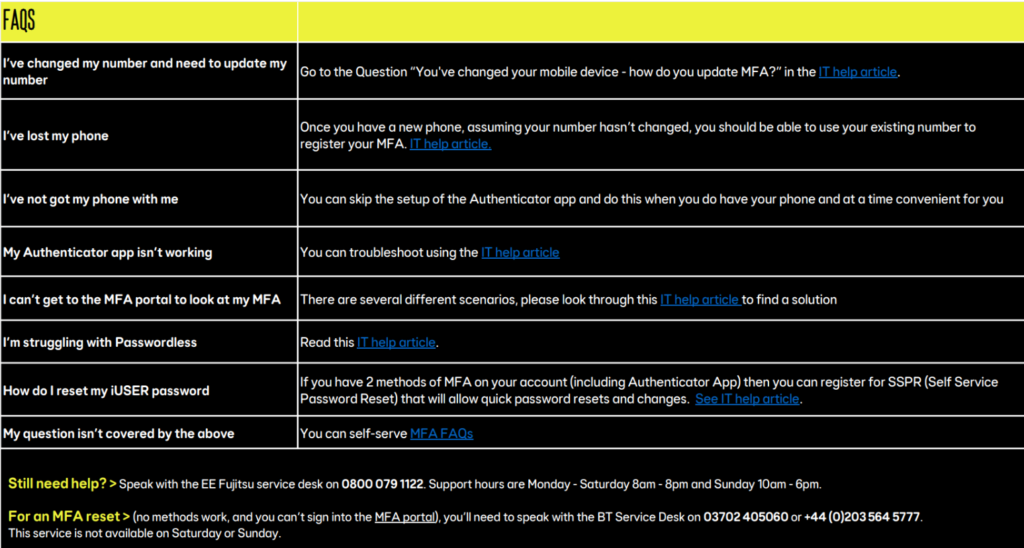
Go questions or need some help? Check out the below FAQS.