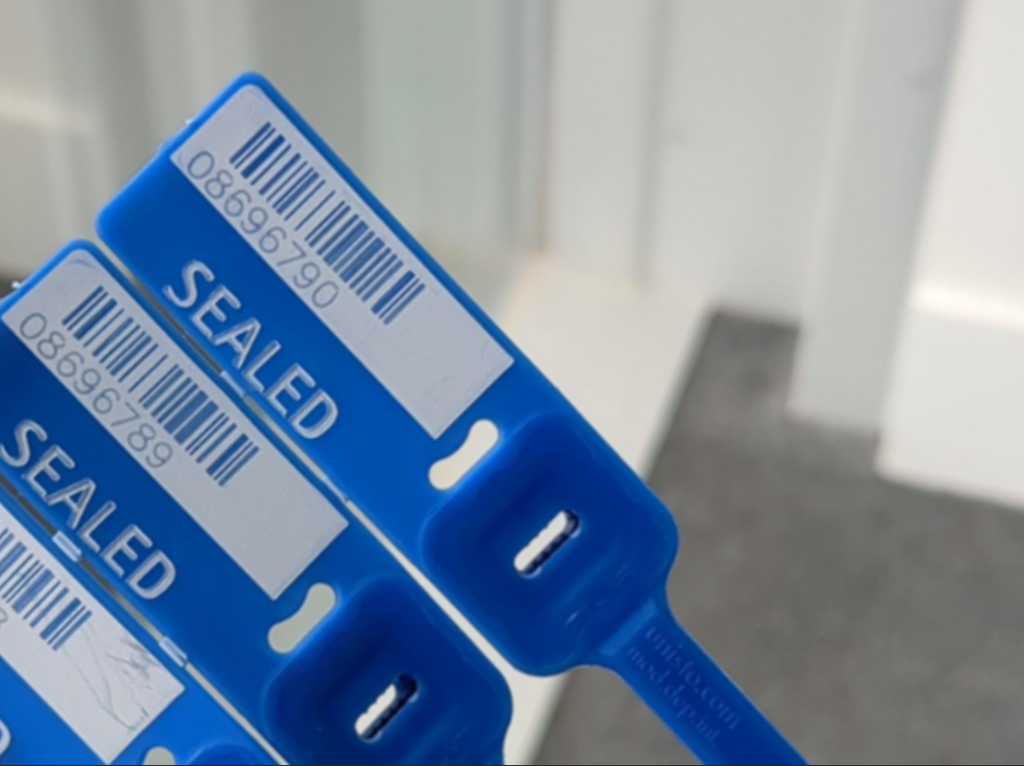
We’re introducing serialised seals to help reduce the risk of devices being lost when they are returned to the MK warehouse.
Each store will be sent tote seals within their upcoming deliveries, these should be used and logged when returning RA or Recall stock in a tote to the MK warehouse.
The seals will be sent into stores from this week. You’ll receive a big delivery to start with, and then additional ones will be sent every week.
How do you use them?
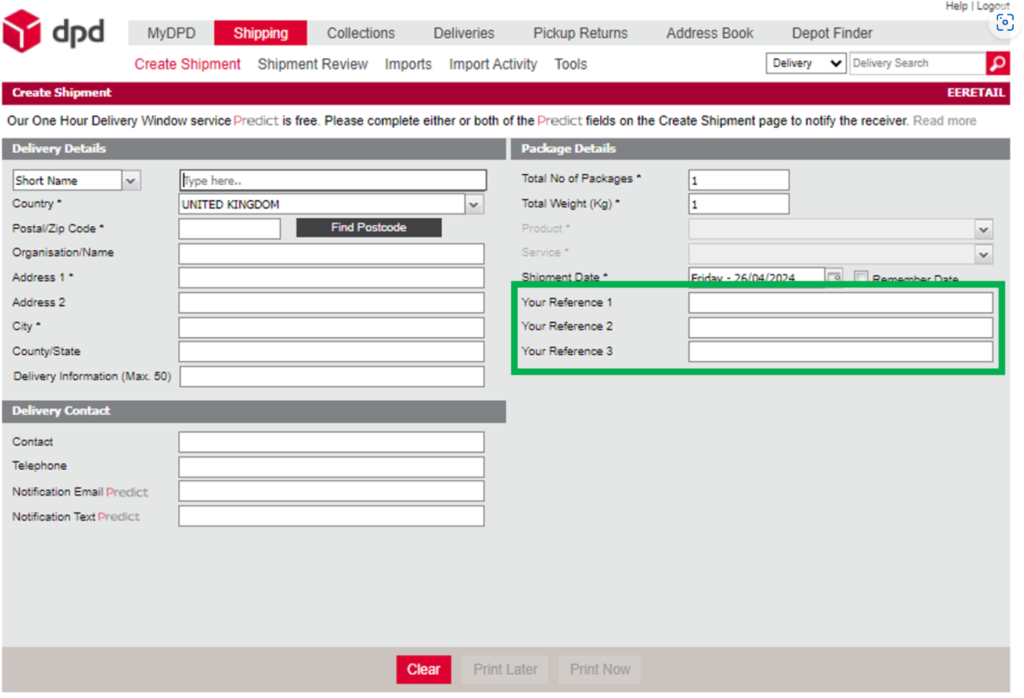
When creating a shipment (the label that goes on a parcel) there are three reference fields that can be added, please complete them as follows:
- The document number from the “goods out” note.
- The first seal used to seal the tote.
- The second seal used to seal the tote.
Then fix the tote tightly with the seals – doubling them back on themselves neatly.
Good to know
- The stock in the tote should always match the stock displayed on the goods out note in the tote.
- If you’re returning a large amount of stock, e.g. For a recall, please ensure you create separate shipments and goods out notes so the seals and goods out notes match the totes.
- “Shipments” create labels and its always one per parcel (you cannot print 2 copies for 2 parcels).
- “Collections” are needed to have the shipments collected – DPD won’t collect if you have only created shipments and not raised the collection too.
- All parcels must be scanned and confirmed on collection – no parcels should be handed over without the scanning being completed in store.
- You should always have one empty tote in store. Your courier should take either your sealed tote of returns or one empty tote at every delivery, and you should keep the one that’s been delivered on the last delivery. If this is not being done, you may need to book shipments and collections to have any old ones collected – and report collection failures as per QMT process.